
D&D 5e
Sheet Tailor has dedicated support for the D&D Fifth Edition system (dnd5e), for characters and NPCs. It was verified with dnd5e 5.3.3 on Foundry 13 and with 6.0.6 on Foundry 14.
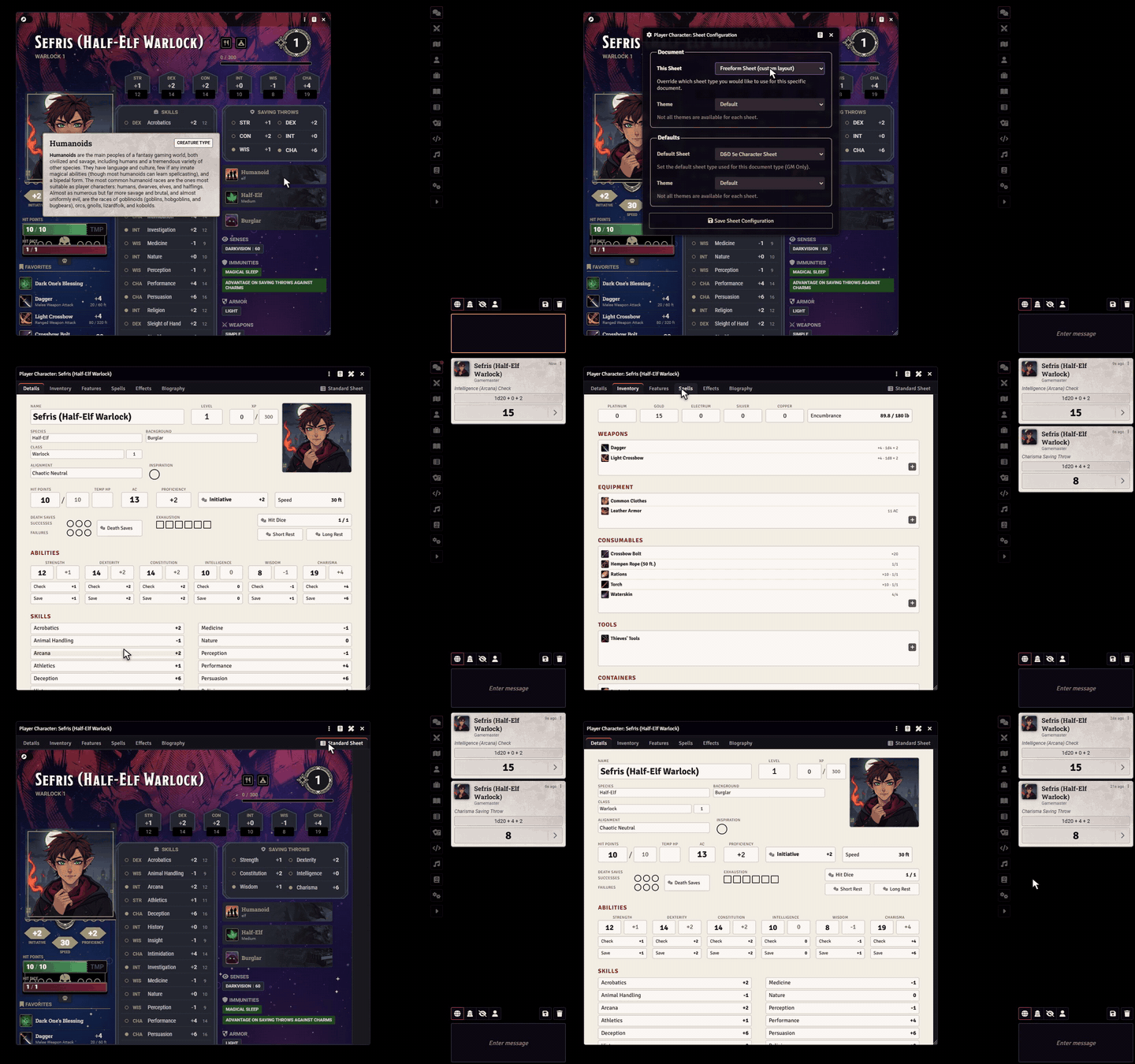
Customize the D&D 5e sheet
On the dnd5e sheet, Customize sheet is in the menu at the top of the window, behind the three-dot button. Everything else works as in Customize sheet, on character and NPC sheets.
The D&D 5e Freeform Sheet
The generated sheet follows the tabs of the dnd5e sheet, and the dnd5e sheet itself is the last tab.
| Page | What it has |
|---|---|
| Details | Species, background and classes, alignment, inspiration, hit points, armor class, proficiency, initiative, speed, death saves, exhaustion, hit dice, short and long rests, the six abilities (score, modifier, check and saving throw), skills with passive scores, tools, senses, languages, resistances and immunities. |
| Inventory | Coins, encumbrance and the inventory sections of dnd5e: weapons, equipment, consumables, tools, containers and loot. |
| Features | Grouped like the dnd5e sheet: by class, species and background for characters, and by action type for NPCs, with legendary actions. |
| Spells | Spell attack, spell DC and spellcasting ability, cantrips and one list per spell level with its slot pips, pact magic included. Spells that are not prepared show faded. |
| Effects | The conditions, to switch on and off, exhaustion and concentration. |
| Biography | Characteristics, personality traits, ideals, bonds, flaws, appearance and the biography. |
NPCs also get a creature page, with challenge rating, creature type, speeds and the legendary action and resistance pips.
Tab and field names come from dnd5e's own translation, so they show in your Foundry's language.
Rolls
Every roll calls the same functions as the dnd5e sheet, with the same dialogs and chat cards:
- ability checks, saving throws, skills and tools;
- initiative, death saves, concentration and hit dice;
- short and long rests;
- conditions, which dnd5e itself turns on and off.
Holding Shift while clicking skips the roll dialog, as on the dnd5e sheet.
On the roll buttons you create, choose A roll of the system in Rolls to get all of these in the list.
Items
- Clicking an item uses it the dnd5e way: attacks, usage dialog, spell slots and limited uses. Items that spend something open the usage dialog even with Shift, as on the dnd5e sheet.
- Containers open their own sheet.
- The + of a list creates an item of that section's type, like dnd5e's +. On a spell list, the new spell already has the list's level and method.
Dragging items onto the sheet
Items dropped on a page are added the same way as on the dnd5e sheet:
- Classes, species and backgrounds go through dnd5e advancement.
- A spell dropped on an inventory list becomes a scroll, with dnd5e's dialog.
- A spell dropped on a spell list takes that list's casting method.
Useful paths
The Sheet data elements come with these links ready. To link by hand:
| Data | Path |
|---|---|
| Hit points | system.attributes.hp.value, .max, .temp |
| Armor class (calculated) | system.attributes.ac.value |
| Initiative (calculated) | system.attributes.init.total |
| Proficiency (calculated) | system.attributes.prof |
| Inspiration | system.attributes.inspiration |
| Exhaustion | system.attributes.exhaustion |
| Death saves | system.attributes.death.success, system.attributes.death.failure |
| Ability score | system.abilities.str.value (and dex, con, int, wis, cha) |
| Modifier (calculated) | system.abilities.str.mod |
| Skill total (calculated) | system.skills.ath.total |
| Passive score (calculated) | system.skills.prc.passive |
| Coins | system.currency.gp (and pp, ep, sp, cp) |
| Experience | system.details.xp.value |
| Spell slots | system.spells.spell1.value (up to spell9, and pact) |
| Spell DC (calculated) | system.attributes.spell.dc |
| Alignment | system.details.alignment |
| Challenge rating (NPC) | system.details.cr |
| Legendary actions and resistances (NPC) | system.resources.legact.value, system.resources.legres.value |
Speed on Foundry 14
dnd5e 6 stores the speed at system.attributes.movement.speeds.walk, and that is the path the editor offers there. A field made with the older system.attributes.movement.walk still works: Sheet Tailor saves it where dnd5e 6 stores it.