
FateX
Sheet Tailor has dedicated support for FateX (Fate Extended), verified with FateX 1.5.4 on Foundry 13 and 14. FateX is the module's reference system: the Freeform Sheet was born on it.
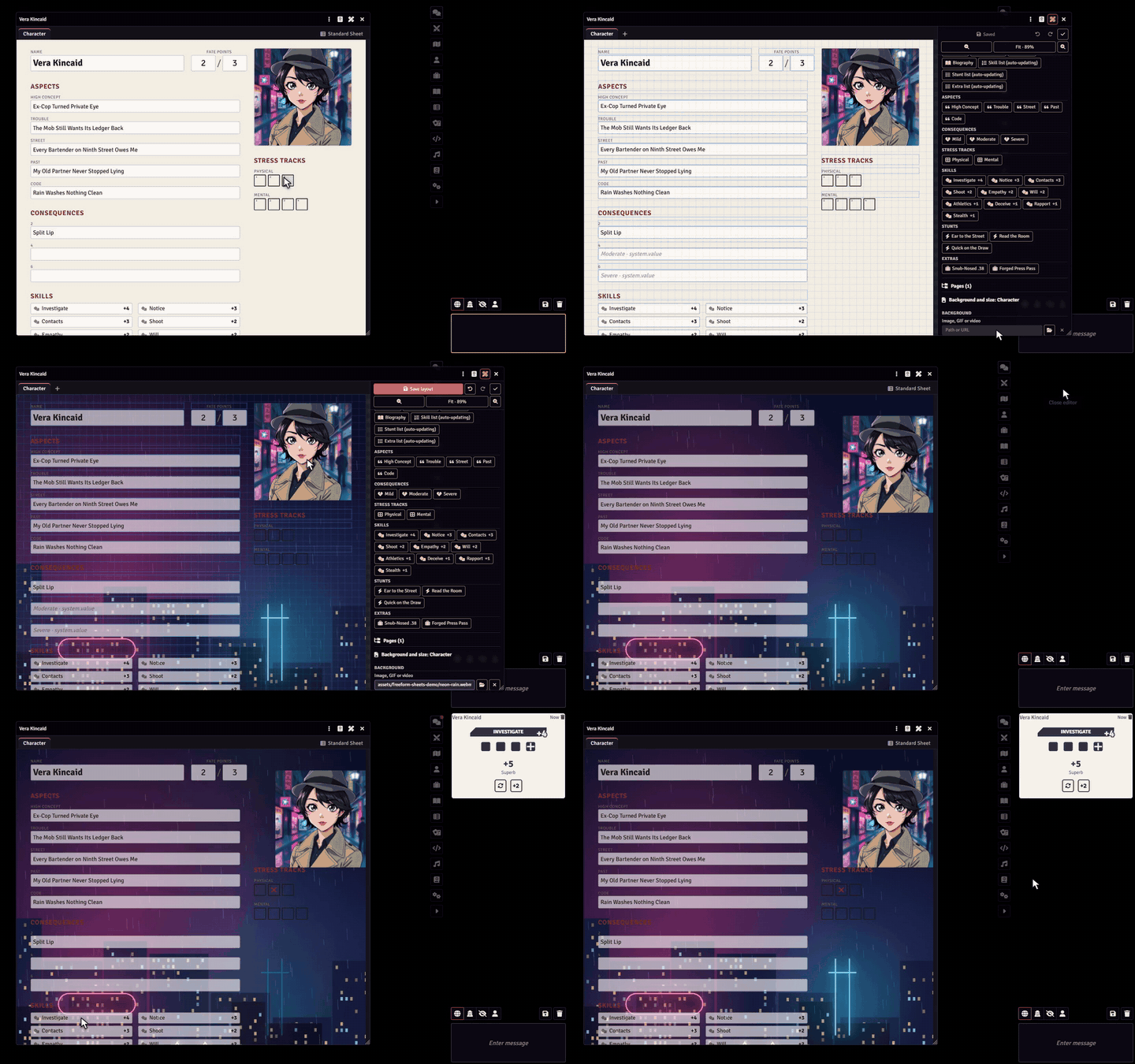
Customize the FateX sheet
The Customize sheet button is at the top of the FateX sheet window. See Customize sheet.
The FateX Freeform Sheet
The generated sheet has everything the FateX sheet has, ready to be dragged onto your art:
- aspects;
- consequences and conditions, with condition marking;
- skills, with their rank;
- stress tracks, with their boxes;
- stunts and extras, with their descriptions;
- fate points and refresh;
- biography.
Skills, stunts and extras also come as lists that update on their own, in Sheet data.
Rolls
Clicking a skill rolls the FateX way and posts the regular FateX chat card. On roll buttons, use The linked item (skill) in Rolls and pick the skill in Item.
Stress and aspects
- Stress: each FateX stress track stores its boxes as the bits of a number. On stress tracks, use Independent boxes (bitmask) in Marking; on a single checkbox, use the box's Bit (0 for the first, 1 for the second...). FateX's stress automations keep working.
- Aspects and consequences: FateX stores these texts as HTML. Fields linked to them use HTML (FateX aspects) in Stored as, show clean text and save in the format FateX expects. Nothing is written back if you don't change the text.
Useful paths
| Data | Where |
|---|---|
| Fate points | character: system.fatepoints.current |
| Refresh | character: system.fatepoints.refresh |
| Biography | character: system.biography.value |
| Text of an aspect | aspect item: system.value |
| Text, label and marking of a consequence | consequence item: system.value, system.label, system.active |
| Stress boxes | stress item: system.value (and the number of boxes in system.size) |
| Rank of a skill | skill item: system.rank |
| Description of a stunt or extra | item: system.description |
Included example
The module ships a hand-drawn FateX example sheet: see Sharing and examples.